How to Add a Wish Right Away with Siri and the Widget
Things you'd like to do are easy to forget if you don't write them down right away. This article goes through the ways to add a wish in itsuka, starting with the basic one.
Use the add button at the bottom right
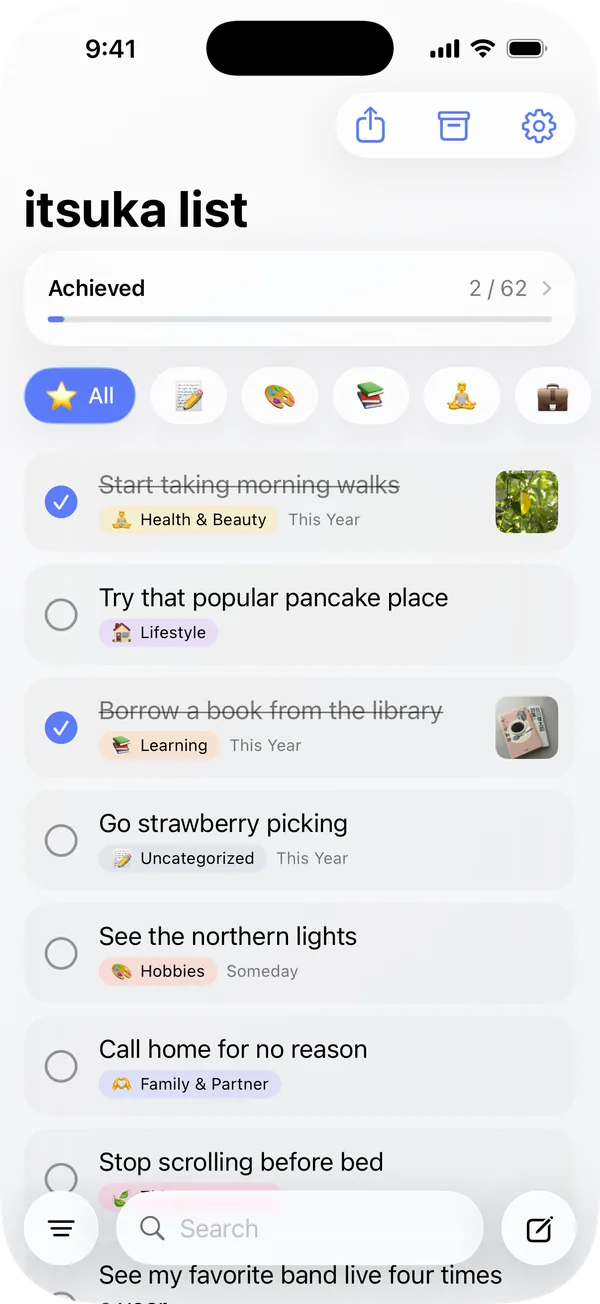
When you open the app, the add button is at the bottom of the screen, to the right of the search field. Tap it to open the add form, write your wish in one line, and save. You can choose the category and deadline later. That's all you need to know to start using itsuka.
Ask Siri to open the add form
The rest of this article covers the other ways to add a wish. If you think of something while you're using another app, Siri is the quickest way.
Activate Siri and say one of these phrases. Both work the same way.
- "Add a wish in itsuka"
- "Add a wish to itsuka"
itsuka opens with the add form already showing. You don't have to go back to the Home Screen, find the app, open it, and tap the add button, so you can start typing before you forget.
Siri doesn't save the wish from your voice. You type the wish into the form yourself.
With itsuka Plus, add from the Home Screen widget
With itsuka Plus, you can put an itsuka widget on your Home Screen. Two things are worth knowing.
First, put the widget on the Home Screen page you look at most. You're less likely to forget what you wrote if you see it on your Home Screen every day than if you have to open the app to check (there's more on where to keep your list in "How to Make a Bucket List Without Writing 100 Items at Once").
Second, use the "+" button at the top right of the widget (medium and large sizes). Tapping it opens the add form directly, so you can start writing right from the Home Screen.
To add the widget, touch and hold an empty area of the Home Screen, tap "Edit" at the top left, tap "Add Widget," and choose itsuka.
You only need one way to add wishes
You don't need to use all of these. It's enough to decide on one way to write down a wish when you think of it. If you spend a lot of time in other apps, remember one Siri phrase. If you have itsuka Plus, put the widget on the Home Screen page you look at most and add wishes with its "+" button.
 itsuka
Wish list & bucket list app